

Many Microsoft 365 settings can be configured quickly via PowerShell. No endless clicking through menus, just efficient commands. At Brandaris Cybersecurity, we apply these steps by default in every environment. Why? Because they make your organisation safer and help employees work smarter.
Step 1: Install the Exchange Online Management module
Install-Module -Name ExchangeOnlineManagement -Scope CurrentUser -Force
Step 2: Log in
Connect-ExchangeOnline -UserPrincipalName [email protected]
Step 3: Run the commands
- Disable external storage providers
- Enable MailTips
- Show external sender labels in Outlook
- Enable organisation-wide auditing & Enable mailbox-level auditing
Step 4: Disconnect
Disconnect-ExchangeOnline -Confirm:$false
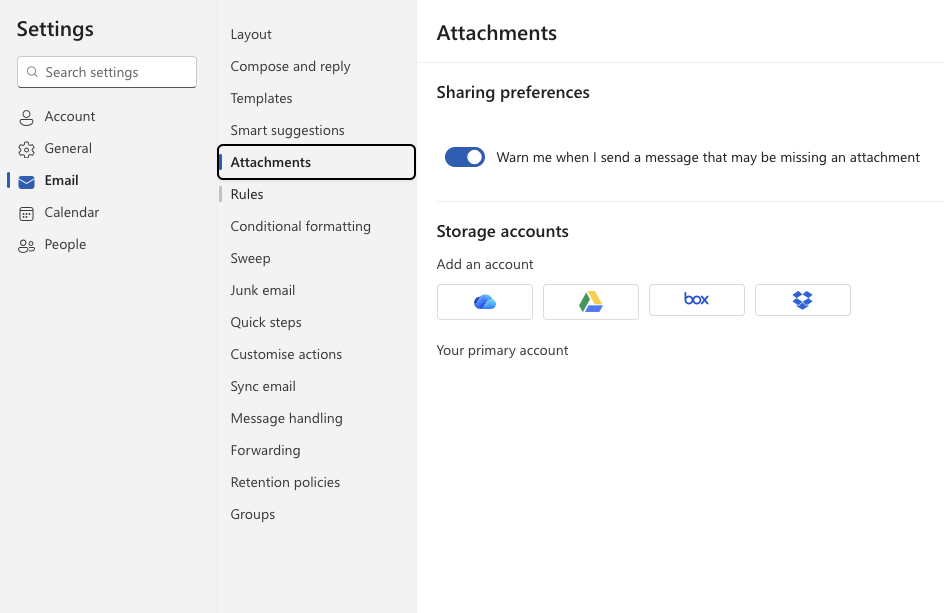
Disable external storage providers
Set-OwaMailboxPolicy -Identity “OwaMailboxPolicy-Default” -AdditionalStorageProvidersAvailable $false
Why?
Outlook Web App allows links to external storage services. Convenient, but messy. Files end up outside your control.
Benefit:
Everything stays within your managed environment. Less risk, more clarity.
Enable MailTips
Set-OrganizationConfig -MailTipsAllTipsEnabled $true -MailTipsExternalRecipientsTipsEnabled $true -MailTipsGroupMetricsEnabled $true ` -MailTipsLargeAudienceThreshold 25
Why?
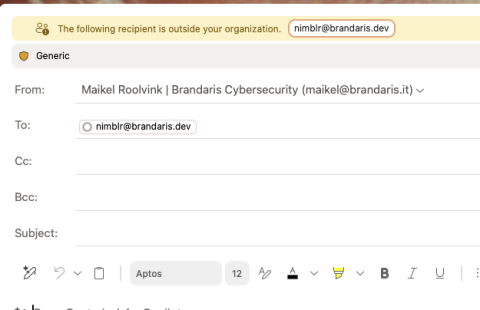
People make mistakes. Sending sensitive info externally or emailing hundreds of colleagues unintentionally? MailTips warns you before you hit “Send”.
- External recipients? You’ll get a warning.
- Large groups? You’ll see the size.
- More than 25 recipients? A prompt appears. (You can adjust this threshold, but 25 is a good balance.)
Benefit:
Employees become more aware without extra rules. The system helps prevent errors and reduces noise.
Show external sender labels in Outlook
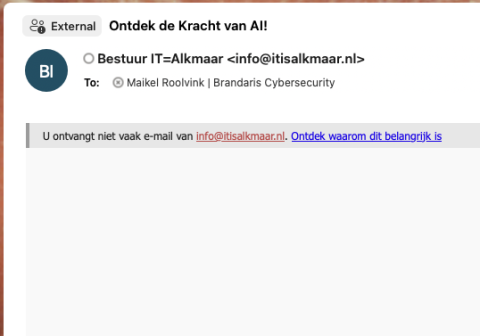
Set-ExternalInOutlook -Enabled $true
Why?
Phishing emails look more convincing every day. A simple “External sender” label makes the difference between clicking and pausing.
Benefit:
Staff spot suspicious emails faster. Less stress, fewer incidents.
Enable organisation-wide auditing
Set-OrganizationConfig -AuditDisabled $false
Why?
Without logging, you’re blind. Auditing records actions so you can trace what happened.
Benefit:
Peace of mind and compliance. Not for control, but for clarity when questions arise.
Enable mailbox-level auditing
Get-Mailbox -ResultSize Unlimited | ForEach-Object { Write-Host “Enable for: $($.PrimarySmtpAddress)” Set-Mailbox -Identity $.Identity -AuditEnabled $true}
Why?
Sometimes you need to know what happened in one mailbox. This makes it possible.
Benefit:
Full transparency. Essential for compliance and investigations.
How is your Exchange Online configured?: Have you enabled these features yet?
You’ll barely notice them day-to-day, but they help employees work smarter and keep your organisation secure.